

You need a site that converts calls and bookings, not just looks nice. Simplify navigation so customers find residential, commercial, and emergency services fast. Make contact and booking instant with click-to-call, a sticky Book button, and a short inline form showing real-time availability. Optimize for mobile and local search, speed up pages, and highlight same-day or emergency response times. Show transparent service pages with pricing, FAQs, and trust badges so visitors act — keep going to learn practical steps.
Key Takeaways
- Prioritize mobile-first design, fast load times, and tappable CTAs so customers can book or call instantly on any device.
- Organize navigation by customer need (residential, commercial, emergency) with a visible service overview and concise labels.
- Create individual service pages with clear pricing tiers, inclusions, response times, and a short FAQ near pricing.
- Feature prominent booking and emergency CTAs (sticky Book Now, click-to-call, inline widget) with real-time availability and instant confirmation.
- Build trust with local SEO, verified reviews, certifications, secure badges, and an embedded map showing service areas.
Simplify Navigation and Service Discovery
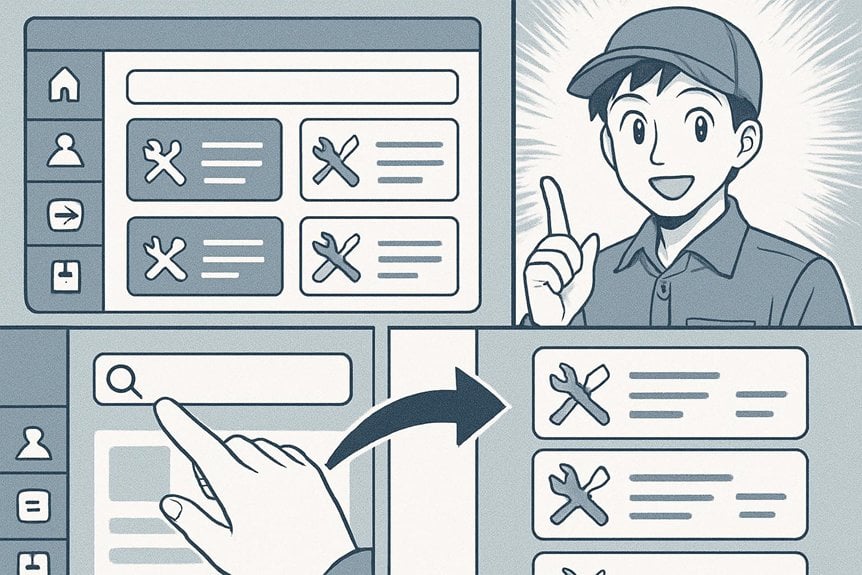
When visitors land on your site, they should find services without hunting—so organize menus by customer need (residential, commercial, emergency) and highlight top services on the homepage.
You’ll group offerings into clear categories, use concise labels, and keep the top-level menu to essentials to reduce choice paralysis.
Group services into clear categories, use concise labels, and limit top-level menu items to avoid choice paralysis.
Add a visible service overview section with quick descriptions and icons so users scan fast.
Implement logical breadcrumbs and a simple search that suggests common jobs like installation or maintenance.
Use consistent naming across pages and avoid industry jargon that confuses homeowners.
Prioritize mobile-friendly navigation: collapsible menus, large touch targets, and a sticky top bar for easy access.
Regularly test paths with real users and refine based on where they get stuck.
Make Contact and Booking Instant and Prominent
Make it dead simple for visitors to reach you or book a job — put contact and booking actions where they’re impossible to miss and cut the steps to completion.
You’ll want a persistent header button, a clear phone number at the top, and a one-click booking form that asks only for essentials.
Reduce friction: pre-filled fields, time-slot selection, and immediate confirmation keep people moving from interest to appointment.
- Use a sticky “Book Now” button and a visible phone CTA
- Offer an inline booking widget with 2–3 required fields
- Provide click-to-call on desktop and mobile (no extra pages)
- Show real-time availability and instant confirmation
These choices increase conversions and lower abandoned requests.
Optimize for Mobile and Local Search

Frequently, local customers will find you on their phones, so prioritize a mobile-first site that loads fast, displays readable fonts and tappable buttons, and shows your service area and phone number immediately. Use responsive layouts, compressed images, and quick navigation so visitors call or request service without frustration. Optimize each page for local keywords, include schema for business details, and embed a Google Map to boost visibility. Encourage reviews and display a live rating summary to build trust.
| Item | Action | Benefit |
|---|---|---|
| Mobile speed | Compress assets | Lower bounce rate |
| Local SEO | Use city + service keywords | Higher local rankings |
| Reviews | Request and display stars | More clicks and calls |
Test regularly on devices and update listings to stay prominent.
Highlight Emergency and Same-Day Services
Don’t hide your emergency and same‑day options — put them front and center so visitors can act fast when they need you. Use a prominent banner, distinct color for the CTA, and concise copy that says what you offer and when.
Put emergency and same-day options front and center with a bold banner, clear CTA color, and concise service timing.
Make contact methods immediate: click-to-call, live chat, and an easy emergency request form. Signal availability clearly (hours, response time) and make sure that these elements appear on every page.
- Use a bold header like “24/7 Emergency Service” with a phone icon
- Add a short, tappable form for same‑day requests with minimal fields
- Display estimated response time (e.g., “Arrive within 2 hours”) near CTAs
- Keep the emergency UI accessible and visible on mobile and desktop
Showcase Reviews, Certifications, and Trust Signals

Don’t hide your credentials — put industry certifications where visitors can see them at a glance so they know you’re qualified.
Use third‑party trust badges and membership logos to reinforce credibility without extra copy.
Pair those signals with a few strong customer reviews to turn trust into calls and bookings.
Display Industry Certifications Prominently
When potential customers land on your site, they scan for quick proof that you know your trade—so put certifications, memberships, and prominent review snippets where they can’t miss them. Display your industry credentials on the homepage, service pages, and footer so visitors immediately trust your expertise.
Use crisp logos, short credential titles, and certification dates; link each to a verification page or issuing body. Keep layout clean and mobile-friendly so badges don’t overwhelm content.
Pair certifications with a short line explaining what the credential means for customers (safety, training, warranty). Rotate a featured certification or recent review in a hero or sidebar to keep content fresh and relevant.
- Show official logos with verification links
- Add concise explanations of each credential
- Prioritize placement above the fold
- Update certifications regularly
Feature Third‑Party Trust Badges
Frequently, visitors make split‑second trust decisions, so you should spotlight third‑party badges—reviews, memberships, secure‑checkout seals, and certifications—to turn that quick glance into confidence.
Place verified review snippets and aggregate ratings near CTAs and service descriptions so prospects see social proof when they’re most likely to act.
Add logos for industry associations and manufacturer authorizations to validate your expertise, and link those badges to the issuing organization for transparency.
Use SSL and payment‑processor seals on booking and checkout pages to reduce anxiety about transactions.
Keep badge design consistent and unobtrusive, sizing them for mobile visibility without cluttering layouts.
Regularly update badges and monitor link validity so every trust signal remains current and credible, boosting conversions and lowering bounce rates.
Use Clear Service Pages With Pricing and FAQS
Make each service page easy to scan with clear descriptions of what you offer and who it’s for.
Show transparent pricing tiers so visitors can quickly compare options and trust there are no surprises.
Include a concise FAQ that answers common questions about timing, guarantees, and payment.
Clear Service Descriptions
Because customers want to know exactly what they’ll get and how much it’ll cost, present each service on its own page with a concise description, transparent pricing, and a short FAQ.
You should describe what the service includes, the expected timeframe, and any conditions that change the scope.
Use plain language so homeowners and facility managers understand benefits and limits without jargon.
Highlight certifications, warranties, and emergency availability briefly.
Include a clear call to action that directs them to book, call, or request a quote.
- List the main tasks performed for each service
- Note average completion time and required access
- Mention included parts, labor, and warranty highlights
- Add a two- or three-question FAQ addressing common objections
Transparent Pricing Tiers
Often, customers want straightforward price options before they contact you, so present tiered pricing on each service page with clear what’s-included lists and a brief FAQ that answers the most common cost and scheduling objections.
You should offer 2–4 compact tiers (basic, standard, premium) that highlight scope, response time, parts warranty, and diagnostic fees. Display prices or price ranges prominently, plus any conditions that change cost. Use bullet lists so visitors can scan inclusions and exclusions quickly.
Add a short call-to-action per tier (“Book now,” “Get estimate”) that opens a simple form or scheduling widget.
Keep language plain, avoid hidden fees, and note financing or coupon options. That transparency builds trust and reduces back-and-forth before a lead converts.
Common Questions Answered
When visitors land on a service page, they want answers fast, so pair clear pricing with a concise FAQ that anticipates and resolves their top concerns.
You’ll build trust by listing exact service costs, what’s included, and any call-out fees.
Put FAQs near pricing so prospects don’t hunt for basics like warranty length, emergency response times, or financing options.
Use plain language, short answers, and link to deeper resources when needed.
- What’s included in each pricing tier and any exclusions?
- How quickly can you respond to emergency calls?
- Do repairs come with a warranty and what does it cover?
- Are financing or payment plans available and how do they work?
Improve Site Speed and Technical Performance
Speed matters — visitors decide in seconds whether your HVAC site’s trustworthy or frustrating, so you should make pages load fast and reliably.
Speed matters — visitors judge your HVAC site in seconds, so make pages load fast and reliably.
Optimize images by compressing and using modern formats (WebP), implement lazy loading, and serve scaled images.
Minify CSS, JavaScript, and HTML, and combine files where it reduces requests.
Use a content delivery network (CDN) and employ browser caching and HTTP/2 to speed asset delivery.
Choose a fast, reliable hosting plan and enable server-side caching or a caching plugin.
Monitor Core Web Vitals, fix render-blocking resources, and guarantee fast time-to-first-byte (TTFB).
Regularly audit performance with Lighthouse or GTmetrix, prioritize fixes, and test on mobile and slow connections to keep your site efficient and conversion-ready.
Frequently Asked Questions
How Do I Integrate HVAC System Videos on My Site?
Embed videos using responsive players (YouTube/Vimeo) so they scale, add descriptive titles and captions, organize by service or problem, lazy-load for speed, use structured data for rich results, and track views with analytics.
Can I Use Customer Portals for Recurring Maintenance Plans?
Yes — you can. You’ll offer scheduling, you’ll offer payment, you’ll offer service history; you’ll let customers manage plans, update preferences, and receive reminders. You’ll secure data, simplify renewals, and track technician assignments.
Should I Include Seasonal Landing Pages for Promotions?
Yes — you should include seasonal landing pages for promotions. They’ll boost relevancy, improve search visibility, let you target timely offers, and increase conversions. Make them focused, mobile-friendly, and easy to update for each campaign.
How Do I Design Forms to Capture Commercial Leads?
You’ll absolutely nail it — design short, industry-specific forms with clear labels, required fields for company size, budget, and project scope, include conditional logic, file upload, trust signals, progress indicators, and a strong CTA to boost commercial conversions.
Is Live Chat Beneficial for After-Hours Support?
Yes — you’ll benefit from live chat for after-hours support. It captures urgent leads, triages requests, offers automated responses, and schedules callbacks, improving customer satisfaction and conversion rates while reducing missed opportunities and manual follow-up.
Conclusion
You’ve got the tools to turn your HVAC website into a lead-generating machine: simplify navigation, make contact instant, optimize for mobile and local search, highlight emergency services, showcase trust signals, use clear service pages with pricing and FAQs, and speed up the site. Don’t forget — “measure twice, cut once.” Take these steps now, and you’ll make it easier for customers to find, trust, and book you, boosting calls and conversions.