

You can expect to pay roughly $2,000–$8,000 for a simple template site, $8,000–$35,000 for a mid‑level custom build with SEO and integrations, and $35,000+ for enterprise projects with advanced workflows and compliance. Costs vary by scope, design complexity, integrations (intake, payments, case systems), hosting/security, and content. You’ll also budget ongoing maintenance, hosting, and marketing. Keep reading to see which choices drive price and where you can save.
Key Takeaways
- Typical upfront costs range from about $2,000 for basic sites to $35,000+ for enterprise-level, custom builds.
- Mid‑level law firm sites commonly cost $8,000–$35,000 depending on design, SEO, and integrations.
- Monthly hosting, maintenance, security, and support usually add predictable recurring fees starting around $50–$500+.
- Advanced features (client portals, payments, case‑management integration, compliance) substantially increase setup and ongoing costs.
- Cost-saving tactics include using templates, drafting your own copy, phasing features, and bundling vendor services.
Why Law Firm Website Costs Vary so Much
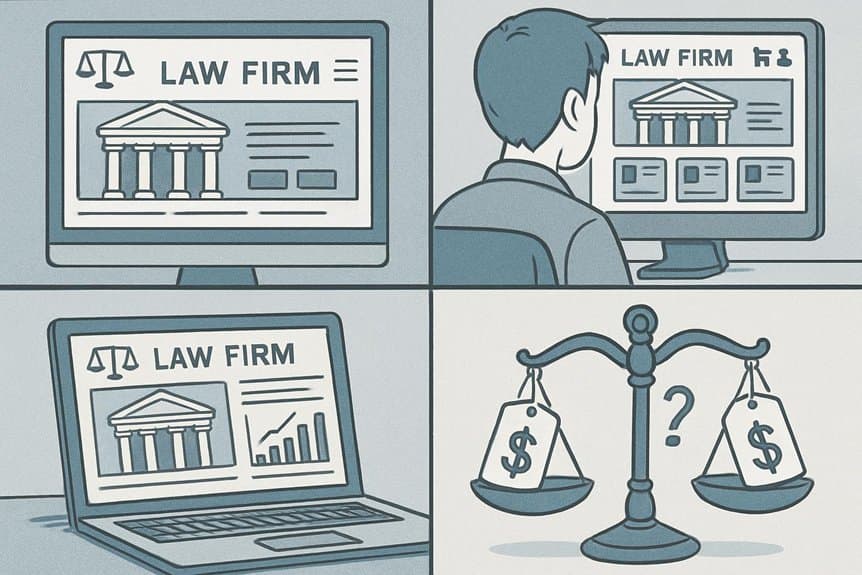
Because every firm has different goals, budgets, and technical needs, law firm website costs can swing widely.
You’ll see price differences because firms vary in scope: a solo practitioner needs fewer pages, simpler content, and basic SEO than a multi-practice firm targeting multiple markets.
Hosting, security, and ongoing maintenance add recurring costs you’ll need to budget for.
Content creation—legal writing, photography, and multimedia—changes effort and expense.
Integration needs, like client intake forms, CRM links, or payment processing, create added complexity and cost.
Regulatory compliance and accessibility requirements may require specialist input.
Finally, timelines affect price: rushed builds often cost more.
Understanding your priorities helps you choose which investments will deliver the most value for your firm.
Key Design Choices That Affect Price
Now that you know why costs vary, look at the specific design choices that drive those price differences. Your choice of custom versus template design matters: custom layouts cost more because they require designer time and unique coding.
Custom layouts cost more than templates — they need extra designer time and unique coding.
Visual complexity — animations, interactive elements, and custom iconography — increases design hours and testing. Responsive detail matters too; optimizing for multiple devices and screen sizes takes additional effort.
If you want bespoke photography, illustrations, or branded assets, budget for production or licensing. Navigation structure and information hierarchy affect wireframing and usability testing time.
Accessibility and ADA compliance add design and development steps. Finally, integrating client portals or advanced contact forms requires design coordination and often pushes the project into a higher price bracket.
Essential Features Every Firm Needs
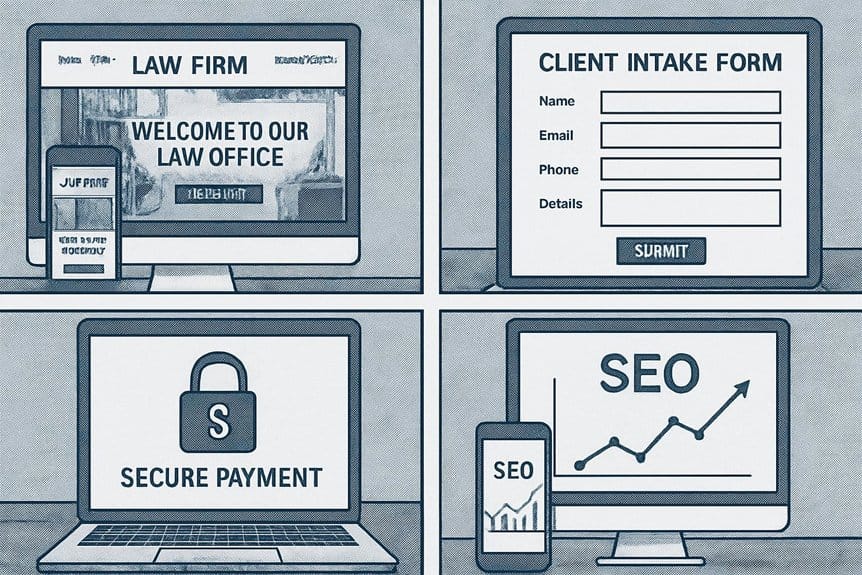
You’ll want clear practice area pages that quickly tell visitors what you handle and why you’re qualified. Make contact and intake easy with visible phone numbers, simple forms, and online scheduling.
Those two elements cut bounce rates and turn more visitors into clients.
Clear Practice Area Pages
Organizing practice area pages clearly helps clients find the exact services they need and decide whether your firm is the right fit. You should create distinct pages for each practice, use plain headings, and lead with outcomes clients care about. Include brief descriptions, representative case examples, and who on your team handles the work so visitors know expertise and next steps without hunting.
| Page Element | Purpose | Example |
|---|---|---|
| Headline | Immediate clarity | “Personal Injury — Car Accidents” |
| Lead Benefit | Client-focused outcome | “Recover compensation fast” |
| Team & Cases | Build trust | “Partner Smith — $500k verdict” |
| Call-to-action | Clear next step | “Learn how we can help” |
Strong Contact & Intake
Clear practice area pages help visitors decide you’re the right firm; strong contact and intake make it easy for them to reach out and convert.
Design clear, prominent contact options—phone, email, live chat, and a short web form—so prospects don’t hunt. Use one-click calling on mobile, pre-filled location fields, and limited required inputs to reduce friction. Offer appointment scheduling integrated with your calendar to cut back-and-forth.
Display response times and privacy assurances to build trust. Route leads automatically to the right attorney or intake staff, and tag sources for marketing attribution.
Test forms regularly for errors and mobile usability. Track conversion metrics and tweak fields, CTAs, and workflows until intake becomes a reliable, measurable pipeline.
Optional Features That Increase Costs
You can add optional tools that make client management smoother but raise your costs.
Custom client intake forms require secure hosting and integration with your case management system.
Offering online payments also adds fees for PCI compliance and payment gateway setup.
Client Intake Forms
Adding client intake forms can streamline how you gather case details, but they also raise development time and costs. You’ll want custom fields, conditional logic, secure file uploads, and integration with your case management system. Those extras mean more design, testing, and compliance work, which increases the price.
- Faster client onboarding reduces friction and boosts conversions — but costs more to build.
- Secure data handling protects clients and your firm, creating peace of mind at a premium.
- Automated workflows save staff hours, letting you scale without hiring immediately.
- Poorly designed forms harm trust and lead to lost leads, so invest in usability and clarity.
Plan scope carefully and get itemized quotes to control expenses.
Online Payment Options
Often law firms offer online payment options to speed up client billing and improve collections, but those conveniences add development time and costs. You’ll pay for secure payment gateways, PCI-compliant hosting, and integration with your trust accounting or practice management software. Expect setup fees, transaction fees, and occasional maintenance for refunds or disputes. Choose between tokenized card storage, ACH, or client portals; each raises complexity and cost. Make sure you budget for SSL, fraud detection, and clear billing notices to meet ethical and regulatory obligations. Below is a quick comparison to help you prioritize:
| Feature | Complexity | Typical Cost |
|---|---|---|
| Card processing | Medium | Setup + transaction |
| ACH transfers | High | Higher per-transfer |
| Client portal | High | Monthly fee + setup |
Content Creation and Copywriting Expenses

When building a law firm website, high-quality content and professional copywriting are critical investments that shape how clients perceive your expertise and trustworthiness. You’ll pay for crafted attorney bios, practice-area pages, strong calls to action, and persuasive landing copy that converts visitors into calls. Expect costs for research, interviews, revisions, and edits to make certain accuracy and ethical compliance. If you want thought leadership, add articles or case studies written to communicate authority without oversharing confidential details. Pricing varies by experience: a junior writer costs less; a specialized legal copywriter costs more but reduces risk.
- Clarity — helps clients understand your value.
- Credibility — builds trust quickly.
- Urgency — motivates contact now.
- Comfort — reassures clients during stress.
Search Engine Optimization and Ongoing Marketing
Regularly investing in search engine optimization and ongoing marketing guarantees your firm stays visible to potential clients searching for help now and later.
You’ll budget for keyword research, on-page optimization, technical audits, and content updates that improve rankings and conversion rates.
Expect monthly costs for link building, local SEO (Google Business Profile management), and citation cleanup to sustain presence in map packs and organic results. Pay-per-click campaigns, social ads, and retargeting require separate ad spend plus management fees.
Track performance with analytics, conversion tracking, and A/B testing so you can allocate budget where it works.
You should plan quarterly strategy reviews and set clear KPIs—organic traffic, leads, and cost per acquisition—to measure ROI and adjust tactics efficiently.
Security, Compliance, and Hosting Considerations

Because client data and ethical obligations are at stake, you should prioritize secure hosting, rigorous compliance, and proactive maintenance from day one. Choose encrypted hosting, isolated backups, and providers with strong uptime SLAs so your reputation and clients stay protected. Factor in SSL, access controls, and routine security scans to reduce breach risk. Make certain your hosting and data processing meet jurisdictional rules like GDPR or state-specific bar guidance; noncompliance can cost far more than hosting fees. Consider cyber liability insurance tied to your hosting choices. Communicate security practices clearly to clients to build trust.
Prioritize encrypted, compliant hosting and proactive maintenance—secure client data, document steps, and communicate practices to build trust.
- Know your exposure and act fast.
- Pick providers with proven security.
- Document compliance steps meticulously.
- Treat security as an ethical duty.
Maintenance, Updates, and Support Costs
You’ll want to budget for monthly maintenance plans that handle updates, backups, and routine monitoring so your site stays current and secure.
Consider an emergency support retainer for fast response to downtime or critical issues. Those two costs can be billed separately or bundled depending on the provider.
Monthly Maintenance Plans
Often overlooked, a monthly maintenance plan keeps your law firm’s site secure, up-to-date, and performing well without you having to micromanage it.
You get routine backups, security patches, plugin and theme updates, and performance monitoring so your site stays reliable and professional.
Plans vary by frequency and scope — basic checkups cost less, while thorough plans include content edits, analytics reviews, and priority support.
Pick a plan that matches your risk tolerance and growth goals; cheaper isn’t always safer.
Clear SLAs, transparent reporting, and predictable monthly fees help you budget and avoid surprises.
Consider these emotional benefits:
- Peace of mind knowing your site won’t fail during critical moments.
- Relief from technical headaches.
- Confidence in consistent performance.
- Pride in a polished online presence.
Emergency Support Retainer
When a critical issue hits—like your site going down after a major update or a security breach—you want a trusted retainer in place that lets you call for immediate help and get prioritized fixes without hunting for someone at 2 a.m. An emergency support retainer guarantees response times, triage, and fixes so you can focus on clients. You’ll pay a monthly or hourly block fee for prioritized access, routine patching, and rollbacks. Compare response SLAs, included hours, and escalation paths before you sign. The retainer often reduces total downtime costs and gives predictable budgeting for unexpected problems.
| Feature | Typical Offering |
|---|---|
| Response SLA | 1–4 hours |
| Included Hours | 5–20/month |
| On-call Fee | Reduced |
| Rollbacks | Included |
| Monitoring | Optional |
Comparing Freelancers, Agencies, and In-House Builds

Although choosing between freelancers, agencies, and an in-house team can feel overwhelming, you can make a clear decision once you map your priorities: budget, timeline, technical needs, and long-term maintenance.
You’ll weigh control versus convenience. Freelancers give lower cost and flexibility but you’ll manage coordination and risk. Agencies offer project management, design polish, and reliability, though they cost more. Building in-house gives ultimate control and fast iteration, yet you’ll invest in hiring, training, and ongoing payroll.
- Freelancers — nimble, affordable, but fragile; you’ll feel exposed if one person leaves.
- Agencies — dependable, polished, and pricier; you’ll feel relief from project oversight.
- In-house — committed, integrated, costly; you’ll feel empowerment over your roadmap.
- Hybrid — mix talent to balance cost, speed, and control.
Typical Price Ranges by Website Complexity
Website complexity largely dictates cost, so you should match your needs to one of three common tiers: basic informational sites (simple pages, contact form, maybe blogging), mid-level sites (custom design, SEO, intake forms, client portals), and enterprise-grade sites (advanced integrations, security, multi-user workflows).
Website cost follows complexity: choose basic, mid-level, or enterprise depending on design, integrations, and security needs
For a basic site expect roughly $2,000–$8,000 upfront and modest annual hosting/maintenance fees; it’s enough for a professional online presence and easy updates.
Mid-level projects typically run $8,000–$35,000 depending on custom design, SEO scope, and form/CRM connections; ongoing support and content services add recurring costs.
Enterprise-grade builds often start at $35,000 and can exceed $150,000, reflecting complex integrations, rigorous security, compliance, and multi-stakeholder workflows. Budget for higher hosting, SLA-backed support, and periodic security audits at this level.
Ways to Reduce Costs Without Sacrificing Quality

Knowing your project tier lets you spot where costs add up and where you can save without hurting quality. You can prioritize features that drive client trust—clear calls to action, attorney bios, and mobile responsiveness—while postponing nonessential bells and whistles.
Use templates for layout, provide content yourself, and choose a scalable hosting plan to cut recurring fees. Shop for a developer who offers phased builds so you pay only for what matters now.
- Pick a proven template to speed delivery and reduce design hours.
- Draft your own copy to avoid high copywriting costs and keep your voice.
- Bundle essentials (SEO, security) with one vendor for discounts.
- Plan a phased rollout to balance impact and spend.
Budgeting Checklist for Your Law Firm Website
When you set a clear budget before design starts, you’ll control scope, avoid surprise costs, and prioritize features that move the needle for clients.
Set a clear budget before design begins to control scope, prevent surprises, and focus on high-impact features.
Start by listing essentials: domain, hosting, SSL, and a CMS license. Add line items for design templates or custom mockups, responsive development, and legal-specific integrations like intake forms or calendaring.
Allocate funds for content — copywriting, attorney bios, and practice-area pages — plus photography or stock imagery.
Include SEO setup, tracking, and initial marketing. Reserve a maintenance fund for updates, backups, and security monitoring.
Don’t forget training for staff and a contingency (10–15%).
Finally, score each item by impact and urgency so you can trim lower-priority costs without hurting core functionality.
Frequently Asked Questions
How Long Does a Typical Law Firm Website Project Take to Launch?
A typical law firm website project takes about 8–12 weeks to launch, though simpler sites can finish in 4–6 weeks and complex builds may need 3–6 months; you’ll want time for planning, content, revisions, and testing.
Will My Existing Branding Work With a New Website Design?
Yes — your existing branding can work with a new website design, but you’ll need to evaluate logo quality, color palette, typography, and tone. We’ll adapt elements, suggest refinements, and guarantee consistency across visuals and messaging.
Can I Migrate Content From My Old Website Easily?
Like moving house, you can usually migrate content easily if your old site’s CMS and formats cooperate; you’ll need to map pages, clean duplicates, update links, and test thoroughly, but a staged transfer keeps disruption minimal.
Do Law Firm Websites Require Special Accessibility Features?
Yes — you’ll need accessibility features like keyboard navigation, screen-reader compatibility, proper semantic HTML, alt text, captions, color contrast, and readable fonts. You’ll also want regular audits and fixes to stay compliant and avoid accessibility-related risks.
What Analytics Should I Track After Launch?
Track traffic, conversions, bounce rate, session duration, and top pages; monitor keyword rankings, source/medium, form submissions, call clicks, and mobile vs. desktop performance. Use heatmaps and user recordings to spot friction and improve client journeys.
Conclusion
Like planting a strong oak, your law firm website needs the right soil, water, and time — not just flashy leaves. With clear goals and smart choices about design, features, and content, you’ll grow an online presence that’s sturdy and trustworthy without wasting your budget. Prioritize essentials, shop wisely among freelancers, agencies, or in-house builds, and prune optional extras. Do that, and your site will root clients to you like steady branches catching light.