

You should expect to pay anywhere from a few hundred to tens of thousands for a small‑business website depending on what you need. If you want a simple template site you’ll pay low; custom design, e‑commerce, bookings, or integrations raise costs. Factor in hosting, security, content, and ongoing maintenance when you budget. Choose a vendor type that matches your timeline and quality needs. Keep going to see typical price bands and how to prioritize features.
Key Takeaways
- Expect wide ranges: $500–$5,000 for simple sites, $5,000–$30,000 for custom small-business sites, and $30k+ for complex solutions.
- Match cost to goals: basic online presence costs less; e-commerce, bookings, or integrations increase budgets significantly.
- Factor ongoing costs: hosting, domain, SSL, backups, updates, and maintenance typically add $200–$2,000+ per year.
- Prioritize ROI-driving features first and phase extras to control upfront spending and measure impact.
- Compare proposals by scope, deliverables, timelines, and include 10–20% contingency to avoid scope-creep surprises.
Understanding What Drives Website Cost
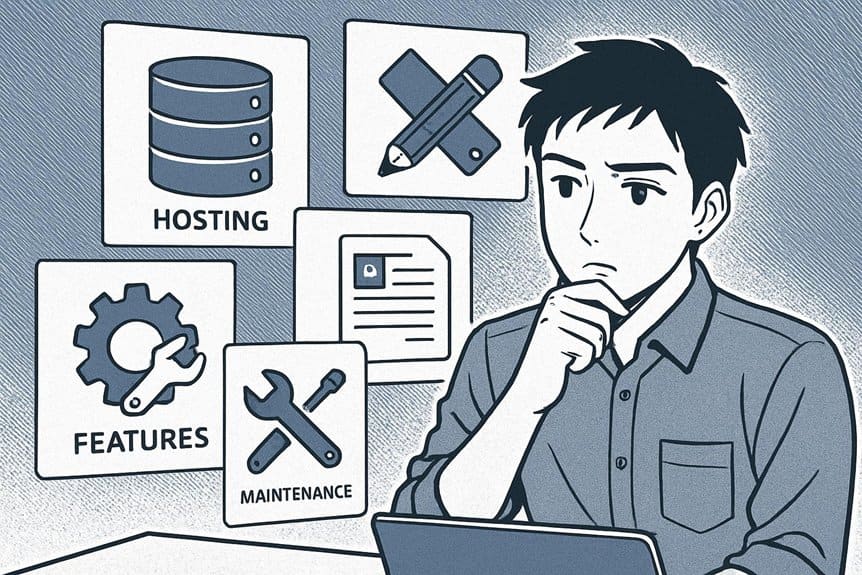
When you’re planning a website, keep in mind that cost isn’t a single number but a mix of choices: design complexity, functionality (like e-commerce or booking systems), content creation, hosting and maintenance, and who builds it.
Website cost isn’t one number — it reflects design, features, content, hosting, and who builds it.
You’ll pay more for custom design, advanced features, and professional content than for templates, basic contact forms, or self-written text.
Ongoing expenses include hosting, domain renewal, security, and periodic updates; factor them into yearly budgets.
Developer expertise affects hourly rates and delivery speed—freelancers, agencies, and in-house staff all price differently.
Integrations with payment gateways, CRM, or analytics add setup and potential subscription fees.
Finally, allow contingency for revisions and unforeseen technical work so your project stays on budget and delivers expected value.
Defining Your Business Goals and Required Features
Start by naming your primary business objectives so you know whether the site must sell products, generate leads, showcase work, or serve customers.
List the specific features you need—like e-commerce, booking, forms, or a blog—and how each supports those objectives.
Then rank features by budget impact so you can prioritize must-haves now and schedule lower-priority items for later.
Primary Business Objectives
Clarify what you want your website to achieve before you pick features or a price range: are you aiming to drive sales, capture leads, showcase a portfolio, or provide customer support? Decide on one primary objective and one secondary objective so every design and investment aligns with measurable outcomes like conversion rate, average order value, or contact form submissions. Prioritize metrics you’ll track and the audience actions you expect.
| Primary Goal | Key Metric | Example Target |
|---|---|---|
| Sales | Conversion rate | 2% monthly |
| Leads | Form submissions | 50/month |
| Awareness | Unique visitors | 1,000/month |
Use these targets to guide scope, timelines, and budget conversations with designers or agencies.
Required Site Functionality
Once you’ve nailed your primary and secondary objectives, list the specific features your website must have to meet them and nothing extra. Decide what actions you need visitors to take — book, buy, contact, or learn — and choose features that directly enable those actions.
Keep integrations minimal and purposeful: CRM, payment gateway, scheduling, or newsletter tools only if they serve defined goals. Specify content types (blog, product pages, FAQs) and technical needs (mobile responsiveness, fast load times, basic SEO).
Avoid speculative or “nice-to-have” bells and whistles that add cost and complexity.
- Clear calls-to-action mapped to goals
- Secure payment or booking flow when required
- Mobile-first responsive layouts
- CMS access for timely content updates
Budget-Driven Feature Priorities
Now that you’ve listed the must-have site functionality, align those items with what your budget will actually cover: prioritize features that directly drive the actions you want visitors to take and defer or remove anything that doesn’t.
Start by ranking features by impact—sales, lead capture, bookings, or trust signals—then estimate costs for each.
Choose scalable options: a simple online store now, advanced inventory later; basic booking widgets now, integrations later.
Use analytics to track which features convert so you can reinvest wisely.
Consider off-the-shelf plugins or templates to lower upfront costs and reserve custom development for high-impact elements.
Communicate priorities clearly to your developer so they can phase work and maximize ROI within your budget constraints.
Typical Price Bands and What They Buy
Web design costs fall into a few common bands, and knowing what each one generally buys you helps you plan and compare proposals.
You’ll typically see low, mid, upper-mid, and high-end ranges: each reflects time, polish, and services included. Low-cost options give basic templates and minimal customization; mid-range adds custom layouts, better SEO basics, and some integrations; upper-mid includes stronger branding, custom functionality, and performance tuning; high-end delivers tailored systems, advanced integrations, ongoing strategy, and dedicated support. Match the band to your objectives and operational capacity.
- Low: template site, quick turnaround, low price
- Mid: custom pages, CMS setup, basic SEO
- Upper-mid: branded design, custom features, testing
- High: bespoke systems, integrations, ongoing strategy
Choosing Between DIY, Freelancers, and Agencies

You’ll weigh cost against control when choosing DIY, freelancers, or agencies, since cheaper options often mean more hands-on work from you.
Consider the skills needed and the time you can realistically invest—DIY saves money but costs hours, while agencies cost more but free up your schedule. Match the option to your budget, expertise, and how quickly you need the site live.
Cost Vs Control
When weighing cost against control, think about how much time, skill, and oversight you can realistically commit: DIY keeps expenses low but hands you full control (and all the work), freelancers offer a middle ground with variable quality and flexibility, and agencies charge more for project management, polish, and predictable results.
You’ll balance budget with how much control you want over design, content, and updates. If you need tight control and can learn basics, DIY fits. If you want a partner but limited management, a freelancer can adapt. If you prefer hands-off delivery and consistent quality, an agency makes sense. Match your preference for involvement to the price you’re willing to pay.
- Control vs. cost spectrum
- Quality predictability
- Management overhead
- Long-term maintenance implications
Skills and Time_Trade-Offs
Cost and control are only part of the decision — you also need to weigh your own skills and available time. If you’re comfortable with basic design, writing, and some tech, a DIY site saves money and gives quick updates, but it demands hours you mightn’t have.
Hiring a freelancer buys specialized skills at moderate cost; you’ll get more polish and less hands-on work, but you’ll manage briefs, revisions, and timelines. An agency costs the most but handles strategy, design, development, and often SEO and analytics, freeing you to run the business.
Match choice to priorities: choose DIY to minimize cost and maximize control, a freelancer for balance, or an agency when you need turnkey expertise and can afford the investment.
Design Complexity and User Experience Considerations
If your site needs custom layouts, advanced animations, or tailored user journeys, expect higher design costs because those features require more planning, testing, and specialist work.
You’ll pay more for designers who craft intuitive navigation, responsive templates, and accessible interfaces that match your brand. Investing in UX research and prototypes reduces revisions and improves conversion rates, but it raises upfront fees.
Prioritize clarity: simple, well-considered interactions often beat flashy but confusing designs. Discuss deliverables, revision limits, and device breakpoints up front so costs don’t balloon. Use metrics like task completion time and bounce rate to judge value rather than aesthetics alone.
- Define user goals before design starts
- Require clickable prototypes for approval
- Specify responsive breakpoints and devices
- Set revision caps and timelines
Functionality: E-commerce, Memberships, and Integrations
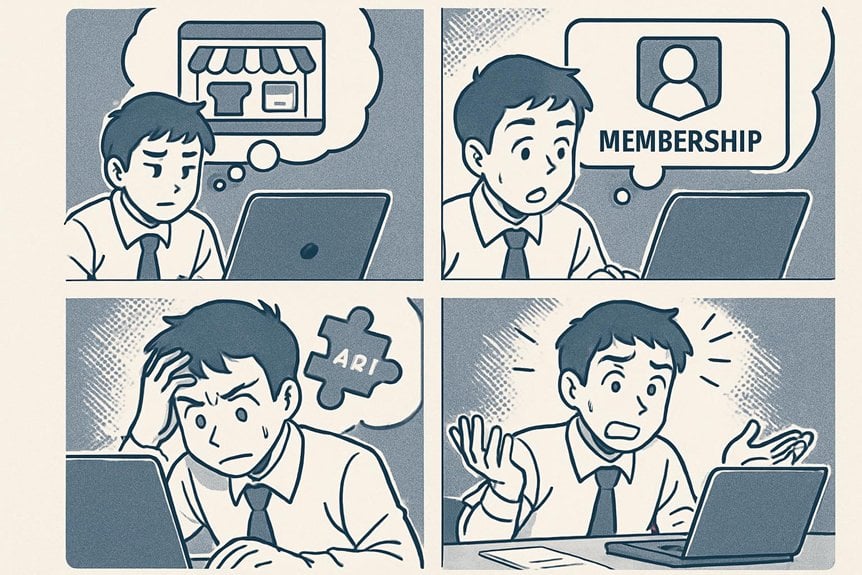
Because functionality determines what your site can actually do, plan features early so they don’t surprise your budget later. If you sell online, factor in shopping cart software, payment processors, product variations, tax rules, shipping calculators, and PCI compliance—each adds cost.
Membership sites require user roles, content gating, subscription billing, and account management; decide whether off-the-shelf plugins suffice or custom development is needed. Integrations with CRM, email marketing, inventory systems, or booking platforms streamline operations but need secure APIs and testing.
Also consider admin interfaces: easy product uploads and reporting save time. Prioritize features by ROI, list must-haves versus nice-to-haves, and get quotes for both plugin-based and custom solutions so you can compare long-term costs and scalability.
Hosting, Domain, Security, and Ongoing Maintenance Costs
When you pick hosting, register your domain, and set up security, you’re not just paying one-time fees—you’ll budget recurring expenses and occasional upgrades that keep the site running reliably and safely.
You’ll choose between shared, VPS, or managed hosting; costs range widely depending on traffic and performance needs. Domain renewals are small but ongoing. SSL certificates are essential—some hosts include them, others charge.
Factor in backups, software updates, and patching to avoid downtime or breaches. Decide whether you’ll handle maintenance yourself or hire a provider; managed plans add predictable monthly fees but save time.
- Hosting tier affects speed, uptime, and price
- Domain renewals and privacy protection are annual
- Security and backup services prevent costly incidents
- Maintenance plans convert surprises into steady costs
Search Engine Optimization and Content Strategy Expenses

You’ll need to invest in keyword research to make sure your site targets the terms customers actually use.
Expect ongoing content creation costs for blog posts, landing pages, and updates that keep your site relevant. Both are recurring expenses that directly affect search visibility and traffic.
Keyword Research Investment
Start by budgeting for keyword research—it’s the foundation of effective SEO and content strategy and determines where you’ll invest time and money for the best visibility.
You’ll pay for tools, competitor analysis, and expert time to identify phrases your customers actually use. Spend enough to map intent (transactional, informational, local) so your site targets profitable queries rather than chasing vague terms.
Initial investment varies: DIY with low-cost tools, or hire an SEO pro for deeper audits and keyword opportunity scoring. That upfront work reduces wasted content effort and improves ROI on future campaigns.
- Prioritize buyer-intent keywords for conversions
- Include local and long-tail phrases for niche reach
- Allocate budget for competitive gap analysis
- Set aside funds for periodic keyword rechecks
Ongoing Content Creation
Regularly producing targeted content keeps your site visible and converts visitors into customers, so budget for articles, landing pages, and updates that align with your keyword map and buyer journeys.
You’ll need a steady cadence of blog posts, service page refreshes, FAQ growth, and occasional long-form assets like guides or case studies.
Factor in costs for a content strategist, writer, editor, and SEO tools for optimization and tracking.
Expect monthly retainer models or per-piece pricing; quality local or niche expertise usually costs more but converts better.
Also allocate budget for content promotion — social posts, email sequences, and paid amplification.
Measure performance and reallocate spend toward formats and topics that drive leads and revenue.
How to Evaluate Proposals and Compare Quotes
When comparing proposals and quotes, focus on what each one actually delivers—not just the bottom-line price—so you can tell apples from oranges quickly.
You’ll want clear scope, timelines, deliverables, and responsibilities. Check whether hosting, security, maintenance, and content updates are included or billed separately. Look for measurable milestones, acceptance criteria, and change-order processes so scope creep won’t surprise you.
Verify vendor experience with similar businesses and ask for references or portfolio examples. Confirm payment terms, warranties, and intellectual property ownership. Finally, evaluate communication style and reporting cadence — that affects long-term satisfaction.
- Scope clarity: what’s included vs. extra costs
- Timeline and milestones: realistic dates
- Support and maintenance: coverage and costs
- Ownership and warranties: code and content rights
Ways to Save Money Without Sacrificing Quality

After you’ve compared proposals and picked a path that fits your needs, you can still cut costs smartly without lowering quality by prioritizing what actually moves your business forward.
Focus on essential features first—clear messaging, fast loading, mobile responsiveness, and simple navigation—then add extras later.
Use templates or starter themes to lower design hours, but customize branding elements so your site feels unique.
Reuse existing content and images where possible, and buy stock photos selectively.
Choose a reliable but affordable hosting plan and scale up as traffic grows.
Handle nontechnical tasks in-house, like proofreading or basic updates, and schedule bundled development sprints to reduce hourly overhead.
Negotiate fixed-price milestones to keep scope focused and costs predictable.
Setting a Realistic Budget and Timeline
Because a realistic budget and timeline keep your project on track, start by listing must-have features, expected launch date, and any hard constraints like seasonal demand or regulatory deadlines.
Start with must-have features, a target launch date, and any hard constraints like seasonal or regulatory deadlines.
Next, break the work into phases: exploration, design, development, testing, and launch. Assign costs and durations to each phase, leaving a 10–20% contingency for scope changes or unexpected bugs. Prioritize features so you can delay nonessential items to a later release. Communicate deadlines with your developer and set weekly check-ins to catch delays early. Use fixed-price quotes for clearly scoped work and time-and-materials for exploratory tasks. Revisit the plan monthly and adjust budget or scope rather than compressing timelines and risking quality.
- Prioritize essentials
- Add contingency
- Use phased releases
- Schedule regular reviews
Frequently Asked Questions
How Often Should I Redesign My Small Business Website?
You should redesign your small business website every 2–4 years, or sooner if analytics, branding, performance, or customer feedback show issues; stay flexible, iterate with minor updates regularly, and plan a full refresh when goals or tech change.
Can I Transfer My Existing Content to a New Platform Easily?
“Measure twice, cut once.” You can usually transfer content easily if platforms support exports/imports or CMS migrations; you’ll need backups, URL mapping, and possible formatting fixes, and sometimes plugins or developer help to guarantee everything moves cleanly.
Are There Legal Requirements for Website Accessibility and Compliance?
Yes — you’re legally required in many places to make websites accessible under laws like the ADA, AODA, or EU rules; you’ll need WCAG-compliant design, ongoing audits, and remediation to avoid complaints, fines, or litigation.
Will I Own the Website Code and Intellectual Property?
Like owning a house, you usually will own your website code and IP if your contract says so. Read and insist on assignment, deliverables, and source access clauses; otherwise the developer might retain rights or limit reuse.
How Do I Measure ROI From My Website Investment?
You measure ROI by tracking revenue and leads from the site, subtracting costs, then dividing profit by total investment. Use analytics, conversion rates, customer lifetime value, and attribution models to see real business impact and optimize accordingly.
Conclusion
You’re ready to invest wisely: balance goals, features, and long-term value when picking a route. Remember, “you get what you pay for” — cheap shortcuts often cost more later. Prioritize core functionality, user experience, and SEO, hire the right level of help, and get clear proposals to compare apples to apples. Set a realistic budget and timeline, but stay flexible; a smart website’s ROI usually outweighs its upfront cost.