
You can rank higher in Google Maps by claiming and fully optimizing your Business Profile, picking one precise primary category plus relevant secondary ones, and listing clear services and service areas. Keep NAP consistent across directories, add LocalBusiness JSON‑LD on key pages, load mobile pages fast, and publish photos, short videos, and posts often. Encourage and respond to real reviews and build local backlinks through partnerships. Follow these steps and you’ll see which tactics work so you can learn more.
Key Takeaways
- Claim and fully verify your Google Business Profile, completing every field (name, address, phone, hours, website) accurately.
- Choose one precise primary category, add relevant secondary categories, and list specific services with local keywords naturally.
- Keep consistent NAP across directories, implement LocalBusiness JSON-LD with address, geo, and openingHours, and validate schema.
- Generate and manage reviews: request recent reviews with direct links, respond promptly to all feedback, and avoid fake reviews.
- Publish high-quality photos, short videos, regular Google Posts, and keep pages mobile-fast to improve engagement and conversion.
Optimize Your Google Business Profile Completely

Start by claiming and verifying your Google Business Profile so you control how your business appears on Maps and Search.
Claim and verify your Google Business Profile so you control how your business appears on Maps and Search
Then fill every field accurately: business name, address, phone, hours, and website.
Write a clear, keyword-focused description without stuffing.
Upload high-quality photos showing your storefront, interior, team, and products — images boost clicks and trust.
Use services and attributes to detail offerings and accessibility.
Keep hours and contact info updated, especially for holidays or special events.
Enable messaging and review responses so you can engage promptly.
Add regular posts about promotions, events, or new products to signal activity.
Finally, monitor insights to see which queries send traffic and refine your listing based on performance data.
Choose the Right Primary and Secondary Categories
After you’ve completed your profile details and kept them updated, pick categories that tell Google exactly what you do—your primary category defines the main service people will find you for, and secondary categories broaden visibility for related searches. Choose one primary that’s the closest match; don’t try to game the system with vague or unrelated labels. Add relevant secondary categories to capture adjacent services, but avoid stuffing. Check competitors and Google’s category list, and update if you pivot services. Monitor search queries and local rankings to see category impact, then refine. Use accurate, specific categories to improve relevance signals and click-throughs.
| Primary category | Secondary category |
|---|---|
| Example: Cafe | Bakery |
| Example: Plumber | Water Heater Repair |
Craft a Compelling Business Description and Services
When you want people to choose your business from search results, write a clear, benefit-focused description and list specific services so visitors immediately understand what you offer and why it matters. Tell visitors who you serve, what problems you solve, and the primary outcomes they’ll get. Use natural language, include your top keywords once or twice, and avoid keyword stuffing.
Break services into concise bullets or short phrases — e.g., “emergency plumbing,” “kitchen remodels,” “commercial HVAC maintenance” — so Google and users scan quickly. Update offerings seasonally or when you add specialties. Include service areas if you serve multiple neighborhoods.
Keep tone professional but approachable, and use precise, verifiable claims (no vague superlatives) to build trust and improve relevance.
Collect High-Quality, Relevant Customer Reviews
Get more of the right reviews by asking satisfied customers shortly after a great experience and making it easy for them to leave feedback on your Google Business Profile.
Prompt follow-ups via SMS, email, or receipt links boost response rates — include direct review links and simple instructions.
Encourage specifics: ask customers to mention the service, location, or product they used so reviews read as relevant and useful.
Respond to every review promptly and professionally; thanking positive reviewers and addressing negatives shows you care and can improve rankings.
Never buy or solicit fake reviews — that risks penalties.
Monitor reviews regularly, use feedback to refine offerings, and highlight authentic testimonials in your customer communications to attract similar high-quality reviews.
Add Photos, Videos, and Posts Regularly

Regularly adding fresh photos, videos, and Google Posts keeps your Business Profile engaging and signals to Google that your listing is active.
Post high-quality images of your storefront, products, team, and completed work so searchers see what to expect. Share short videos or virtual tours to increase time-on-profile and showcase service or product use.
Use Google Posts for timely updates: promotions, events, or new offerings with a clear call to action.
Add descriptive filenames and concise captions with natural keywords and location references. Update content seasonally and after notable changes.
Monitor which assets get clicks and views, then prioritize similar content. Consistent, relevant media improves user trust, click-through rates, and can boost local search visibility.
Ensure Consistent Local Citations and NAP Across the Web
Adding photos and posts helps people find and trust your profile, but you also need consistent citations and NAP (Name, Address, Phone) across the web to make sure search engines and customers find the same business everywhere. Audit your listings on directories, industry sites, social profiles, and data aggregators.
Use the exact business name, address format, and primary phone number everywhere; even small variations confuse algorithms and customers. Fix mismatches, closed listings, or duplicates — claim and edit profiles where possible.
Keep secondary details (hours, website URL, suite numbers) aligned too. Track changes with a simple spreadsheet or a citation management tool so future edits stay consistent.
Consistency builds trust and improves local search visibility.
Optimize Your Website for Local SEO and Schema Markup
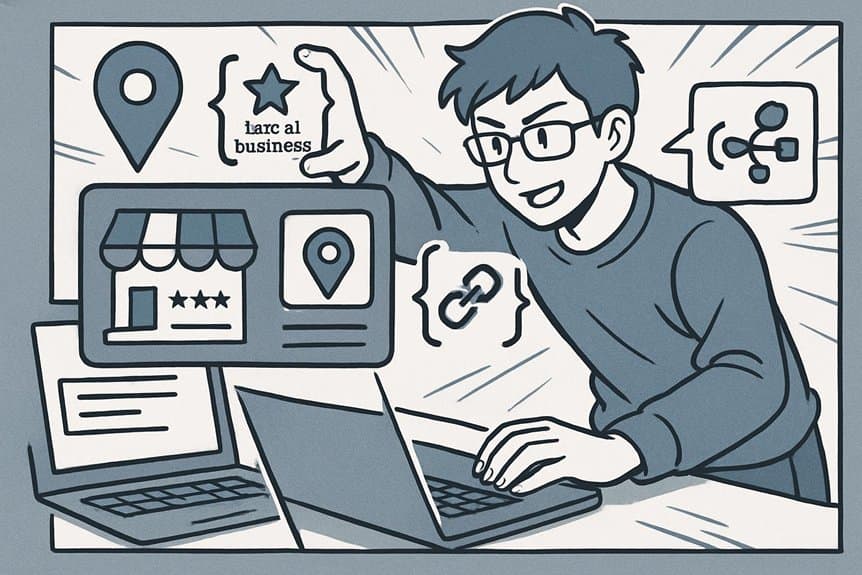
Make sure you use local keywords naturally in your titles, headings, meta descriptions, and page content so Google knows which neighborhoods you serve.
Add structured data (LocalBusiness schema) to key pages to give search engines clear info about your address, hours, and services.
Also make certain your site is fast and mobile-friendly so visitors from Maps or local search get a seamless experience.
Local Keyword Placement
Keywords guide search engines to understand where and for whom your business matters, so place them strategically across your site and schema to boost local visibility. Use local phrases (city, neighborhood, landmarks) naturally in page titles, meta descriptions, headers, and the first 100 words of key pages. Don’t stuff—prioritize relevance and user intent. Match keyword variations to specific pages: service pages for service + location, blog posts for long-tail queries, and contact pages for NAP consistency. Monitor performance and adjust based on queries that actually drive visits.
- Use primary local keyword in title tag and H1
- Include secondary/location modifiers in H2s and intro text
- Add local keywords to image alt text and URLs
- Keep NAP exact across site and external listings
Structured Data Markup
When you add structured data (schema) to your site, you give search engines explicit clues about your business—what you do, where you’re located, your hours, and reviews—so they can display richer, more relevant results in local search and Maps.
Use LocalBusiness schema and appropriate subtypes (Restaurant, HairSalon, etc.) to mark name, address (formatted as PostalAddress), phone, openingHours, geo coordinates, and priceRange.
Include aggregateRating and review snippets when available.
Implement JSON-LD in the page head or right before closing body tag; it’s preferred by Google.
Test markup with Rich Results Test and Schema.org validators, and monitor Search Console for improvements or errors.
Keep structured data accurate and synchronized with your GMB profile to avoid conflicting signals.
Mobile-Friendly Site
Always prioritize a mobile-first experience because most local searches happen on phones, and Google uses mobile usability as a ranking factor for Maps and local results.
You should make your site load fast, display clearly, and guide visitors to call, get directions, or book without friction. Responsive design and touch-friendly layouts reduce bounce rates and improve engagement metrics that influence local rankings. Use local schema, structured data for NAP (name, address, phone), and make certain JSON-LD is present on mobile pages.
- Use responsive layouts and flexible images
- Optimize critical resources to load under 2–3 seconds
- Make buttons large, forms minimal, and CTAs obvious
- Implement local schema (JSON-LD) on all key pages
Test with Google’s Mobile-Friendly and PageSpeed tools regularly.
Build Local Backlinks and Community Partnerships

Link up with local organizations and websites to earn trustworthy backlinks that boost your Maps ranking and drive nearby customers to your business.
Reach out to local chambers, news sites, blogs, schools, and nonprofits for sponsorships, event partnerships, guest posts, or resource listings.
Offer value—case studies, expert quotes, or discounts—in exchange for links on relevant pages.
Sponsor community events or donate goods so organizers mention you online.
Collaborate with neighboring businesses for joint promotions and cross-links on service pages or neighborhood guides.
Keep anchor text natural and link to useful internal pages like service or location pages.
Track referring domains and prioritize links from authoritative, locally focused sites.
These partnerships increase visibility, local relevance, and referral traffic that support better Maps performance.
Monitor Performance and Adjust With Local Search Insights
As you collect clicks, calls, and direction requests, use Local Search Insights to see which listings, keywords, and pages are actually driving customers and which need tweaking. You’ll track trends, spot drop-offs, and prioritize fixes.
Compare search queries to on-page content, monitor photo and post engagement, and note peak call times so staffing matches demand. Make small experiments — tweak titles, add schema, refine categories — then measure impact.
- Review queries to align content with real searches
- Track listing views vs. actions to spot conversion gaps
- Test one change at a time and record outcomes
- Repeat monthly and document lessons for continuous improvement
Act on data quickly to keep your map presence competitive.
Frequently Asked Questions
How Does Proximity to Other Businesses Affect My Google Maps Ranking?
Proximity matters: Google uses distance as a primary ranking factor, so the closer a user is to your business, the more likely you’ll appear. You’ll still need relevance, reviews, and accurate citations to compete effectively.
Can Seasonal Offerings Change My Local Pack Visibility?
Yes — seasonal offerings can boost your Local Pack visibility if you update your Google Business Profile, add seasonal categories, posts, and attributes, and attract timely reviews and engagement; Google favors relevance and user intent for seasonal queries.
Do Paid Google Ads Influence Organic Maps Rankings?
No, paid Google Ads don’t directly influence organic Maps rankings; you’re not buying local pack placement. However, ads can increase visibility and clicks, which might indirectly boost your profile’s signals and long-term organic performance.
How Do Service-Area Businesses Without Storefronts Rank?
You can rank by optimizing your Google Business Profile, using accurate service areas, collecting local reviews, keeping NAP consistent across citations, adding relevant services and keywords, posting updates, and earning quality backlinks and local mentions.
Can Virtual Tours Improve My Maps Click-Through Rate?
Yes — virtual tours boost your Maps click-through rate by engaging viewers, showcasing spaces, and increasing trust; they encourage longer profile visits, higher user interaction, and more direction or website clicks, which typically raises conversion chances.
Conclusion
You’ve now got the map to the treasure: tune your Google Business Profile, pick the right categories, showcase services, gather great reviews, and keep photos, citations, website SEO, schema, and local links sharp. Like a trusted lighthouse guiding ships through fog, these steps steer local customers straight to your door. Keep testing with Local Search Insights, adapt, and you’ll not just appear on the map—you’ll become the obvious choice people find first.